


Golf Pad: Golf GPS & Scorecard
4.66.31K Reviews
App Specs
- Version
- 22.6.3
- Updated On
- License
- Free
- Downloads
- 5,000,000+
- Developer
- Golf Pad GPS
- Categories
- Sports
- Platform
- Android
Screenshots
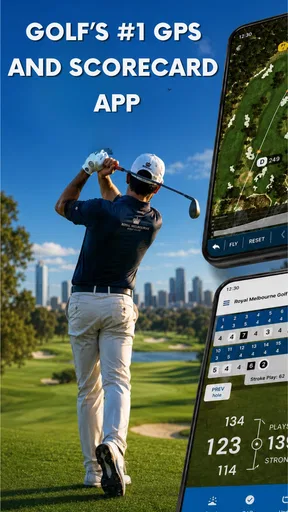
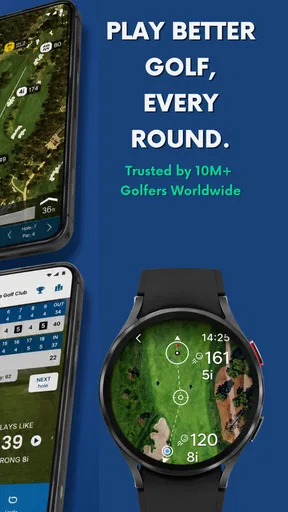
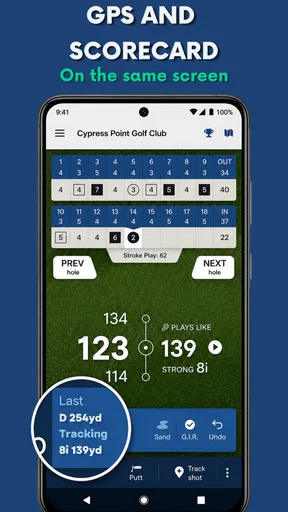
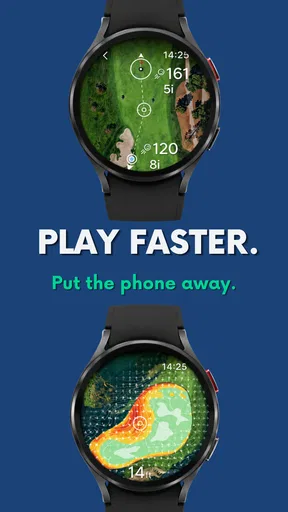
 Analysis by AppCompare
The first round with a golf app can feel like a small revelation: distances are close at hand, scores have somewhere to go, and there’s no need to keep a separate note of every hole. Golf Pad: Golf GPS & Scorecard brings those jobs together on a phone. I can see why that appeals on day one, especially if you’re used to estimating yardage and sorting out your scorecard after the round. The more interesting question is whether it still earns a place in your routine once the novelty wears off.
A useful first week on the course
Golf Pad is a free sports app from Golf Pad GPS, with optional in-app purchases ranging from $0.99 to $29.99 per item. It has been around since June 21, 2011, and its audience is substantial: it has over five million installs and a 4.5 average from around 37,000 ratings. The app is rated for Everyone. Those figures suggest a well-established tool, though they don’t tell you whether its workflow suits your own pace on the course.
In my experience, the strongest first impression is practical rather than flashy. A GPS rangefinder, scorekeeping, shot tracking, performance statistics, and handicap tools address different moments in a round, but they share one purpose: reducing the little bits of mental bookkeeping that can distract from playing. If you already reach for your phone between shots, putting those tasks in one place may feel natural. If you prefer to leave your phone in your bag, the habit will take more effort.
A realistic test is a casual round with a friend when nobody wants to act as the group’s scorekeeper. You can check a distance, enter the hole’s score, and return your attention to the next shot instead of reconstructing the card at the clubhouse. That convenience is most valuable when the group is moving at a normal pace and you make a point of recording things as they happen. Leave entries until later and the app can’t remove the memory work; it merely gives you a place to do it.
Why Golf Pad Stands Out
First off, let's talk about what makes Golf Pad: Golf GPS & Scorecard such a game-changer. For starters, the app offers incredibly accurate GPS rangefinder capabilities. Whether you're on the fairway or caught in the rough, knowing your exact distance to the green can make or break your game. The app covers over 40,000 courses worldwide, which is pretty impressive.
Features That Make a Difference
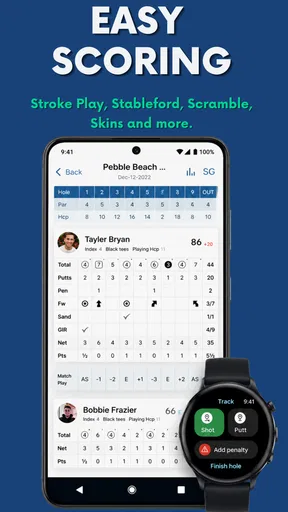
One of my favorite features is the real-time scoring. You can keep track of your game, hole by hole, without fumbling around with a pencil and paper. It's straightforward and easy to use, which means you can focus more on your swing and less on the logistics.
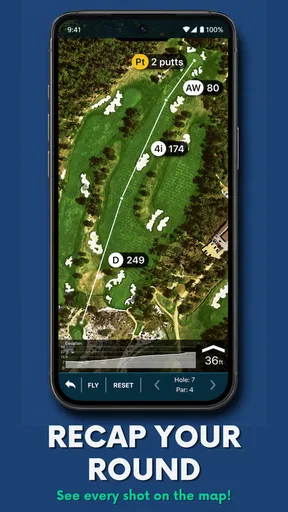
Another neat feature is the club tracking. Once you've used it for a few rounds, the app starts to learn which clubs you favor at different distances. It’s like having a personal coach that whispers, "Hey, remember last time you used the 9-iron here?"
Worth Reading Before You Choose

Flipboard Shows What News Apps Must Do Beyond the Feed

Switching to Android Auto Means Rethinking Your Driving Routine

Google Calendar Makes a Crowded Week Easier to Manage

Ludo King Makes the Most of the Minutes Between Plans

Baby Panda World Brings Quick Play to Modern Phones, but Its Game Library Feels Busy

ESPN’s Live Game View Makes Following Close Games Easier
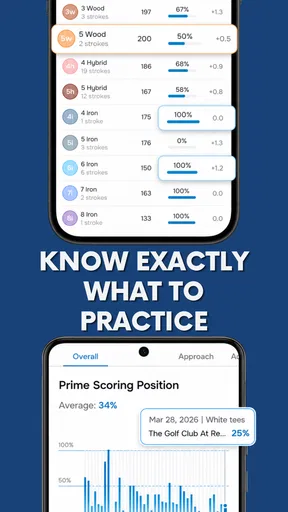
And if you're someone who loves data, the app provides detailed statistics about your performance. You can analyze your strengths and work on those areas that need improvement. It's like having a mini golf clinic in your pocket.
Making distance and stats useful
The app’s information helps most when I treat it as a reference, not an instruction. A displayed yardage can narrow down a club choice, but it cannot account for every decision I make about wind, lie, confidence, or the shot I’m willing to attempt. I’d use the number to check my own read of the hole rather than let it choose a club for me. That small distinction keeps a rangefinder helpful without turning every shot into a phone consultation.
Club tracking and statistics also become more useful through consistency. If you only log a few shots, the picture of your game will be incomplete; if you record rounds regularly, patterns are easier to notice. A practical approach is to focus on one question at a time, such as whether your longer clubs are getting you into trouble or whether your scoring tends to slip on particular parts of a round. Trying to study every statistic after every game can make the app feel like homework.
There’s a trade-off here: detail is valuable only if you’ll act on it. A beginner may benefit more from keeping a reliable score and learning distances than from reviewing a crowded set of numbers. A regular player who enjoys tracking progress may get more lasting value from the same tools. If you want a coach to interpret your swing or give tailored instruction, this is not a substitute for one; it helps you keep records and reflect on your play.
User Experience
Now, let’s talk about the user experience. Golf Pad is designed with the golfer in mind. The interface is clean, intuitive, and simple to navigate. Even if you’re not a tech-savvy person, you’ll find it easy to get the hang of it. Setting up your profile and adding new rounds is a breeze.
Plus, the battery optimization is on point. You can play an entire round without worrying about your phone dying on you midway through. That's a huge plus in my book.
A habit that has to fit your round
For the first few rounds, I’d keep the routine deliberately simple: use the distance view when it answers a real question, enter scores promptly, and avoid turning every shot into a data-entry task. That lets you find out whether using a phone suits your pace before building more tracking into the round. It also makes it easier to tell which parts of the app you’ll actually keep using after the early curiosity fades.
Phone-based tools do ask for attention. Pulling out a device can interrupt conversation or slow down a group if you do it at every shot, and a screen is not ideal when you’re trying to stay focused on play. If that sounds familiar, use the app selectively: scorekeeping may be enough, while a dedicated rangefinder may be a better fit for someone who wants distance without reaching for a phone. The right choice depends less on the number of tools available and more on how much phone use feels comfortable during your round.
Battery life is also a sensible thing to assess for yourself rather than assume. The original experience here was positive, but usage habits, phone condition, and other activity can affect any phone’s endurance. I’d start a round with a well-charged device and avoid relying on it for unrelated heavy use if you need it for navigation and scoring through the day. That’s not a special Golf Pad complication; it’s the ordinary compromise of using a smartphone on the course.
Social and Sharing Features
If you love sharing your golf escapades with friends, the app has you covered. You can share your scores on social media or challenge your friends to a virtual match. It adds a fun, competitive element to the game, even when you're not on the same course.
- Share scores via social media.
- Challenge friends to virtual matches.
Where it sits among golf tools
Compared with a paper card, the main advantage is having scores and other round information gathered on the phone, with less need to calculate or remember details later. Paper remains a sensible alternative if you want a distraction-free round, don’t want to manage a device, or simply enjoy writing down scores. A standalone GPS rangefinder can be preferable when quick distance checks matter more than statistics and sharing. Golf Pad’s appeal is that it combines several jobs; that breadth is useful only if you want those jobs in one app.
It also occupies a different role from a lesson app or a coach. The performance records can support reflection over time, but they do not automatically turn a pattern into a practice plan. I’d use the information to identify a question to work on, then take that question to the range or a coach if I needed technical help. That makes the app a companion to practice rather than a replacement for it.
Who will keep reaching for it
I think the best match is a golfer who plays often enough to value a record of rounds, likes checking yardage on a phone, and is willing to enter scores as the game unfolds. It may also suit a newer player who wants one place to keep track of basic round details while learning the course and their own tendencies. The app doesn’t need to transform someone’s swing to be worthwhile; saving time and making past rounds easier to review can be enough.
On the other hand, I’d skip it if your priority is to keep your phone out of the game, if you prefer a simple paper card, or if you only want a fast distance reading from a dedicated device. I’d also be cautious about paying for optional extras before you know which features you use. The free starting point gives you a way to test the basic routine; consider a purchase only when you can name a specific need it would address.
Is It Worth It?
Considering all the features packed into Golf Pad: Golf GPS & Scorecard, it's a fantastic tool for golfers of all levels. Whether you’re just starting out or you’ve been playing for years, it offers insights and conveniences that can genuinely improve your game.
There is a premium version available, which unlocks even more features like advanced scorecards, handicap scoring, and more detailed statistics. If you're serious about your game, the upgrade is definitely worth considering.
All in all, this app provides a comprehensive golfing experience right from your smartphone. It’s an essential download for any golfer looking to enhance their game with a little tech-savvy assistance. So, why not give it a shot? You might just find yourself shaving a few strokes off your game.
Does it earn a lasting spot?
For lasting value, I’d judge it by what remains useful after a month, not by how many screens I explored in the first round. If I still use the distance check, enter scores without delay, and occasionally review a trend that changes how I practice, it has become part of my golf routine. If I stop recording rounds or resent checking my phone, the extra tools won’t rescue the habit. That’s the main maintenance burden: not complicated setup, but remembering to use the app consistently enough for its records to mean something.
My overall view is positive, with a clear condition. Golf Pad earns its place for golfers who want GPS help and scorekeeping together and who enjoy looking back at their play. Its range of functions can make it a more useful long-term companion than a basic scorecard, but that same range can feel unnecessary if you only need one quick answer. I’d start with the parts that solve a real problem on your next round, keep the routine light, and let regular use—not the initial novelty—decide whether it deserves a permanent spot on your phone.
Pros
- Accurate GPS tracking for precise distance measurement.
- Easy-to-use interface with intuitive navigation.
- Real-time scoring for multiple players.
- Supports wearable devices for hands-free use.
- Comprehensive stats to improve your game.
Cons
- Some features require a premium upgrade.
- Battery usage can be high during long games.
- Occasional GPS signal issues in remote areas.
- Limited offline functionality without data.
- Ads can be intrusive in the free version.
FAQs for Golf Pad: Golf GPS & Scorecard
What features does Golf Pad: Golf GPS & Scorecard offer?
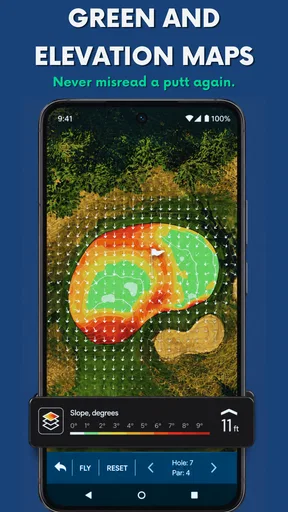
Golf Pad provides a range of features including a detailed GPS rangefinder, digital scorecard, shot tracking, and statistics analysis. It supports over 40,000 golf courses worldwide and offers real-time distances to the front, back, and center of the green. The app also includes a club recommendation feature based on your past performance.
Is Golf Pad free to use or does it require a subscription?
Golf Pad offers a free version that includes basic features like GPS rangefinder and scorecard. However, for advanced features such as real-time wind speed, club recommendations, and extended statistics, you may opt for the Golf Pad Premium subscription. The subscription enhances the overall golfing experience with additional insights and data.
How accurate is the GPS feature in Golf Pad?
The Golf Pad app is known for its accurate GPS functionality, often providing distances within a few yards of accuracy. It utilizes your phone’s GPS to deliver precise measurements on the course. Users generally find it reliable for getting accurate yardage to various points on the golf course.
Can I use Golf Pad with a smartwatch?
Yes, Golf Pad is compatible with a range of smartwatches, including Apple Watch, Wear OS, and Pebble. This allows golfers to access GPS distances, track shots, and update scores directly from their wrist, enhancing convenience and allowing them to focus more on their game without constantly pulling out their smartphone.
Does Golf Pad support offline use?
Golf Pad allows users to download courses for offline use, which is particularly useful in areas with weak cellular signals. You can preload your favorite courses, ensuring access to GPS and scoring functions even when you’re not connected to the internet. This feature adds a layer of reliability for golfers who play in remote locations.


